Showing posts with label software. Show all posts

Monday, November 23, 2009

Creating Geometric Shapes

So using a very very simplistic form of applied mathematics I attempted to create some geometric shapes from the static produced by raw files. As best I could I would use pixel measurements to define the shapes I created using the eliptical marquee and the custom-shape polygon tools...


Using a standard layering process and simply changing the Levels and Variations of certain objects I created some pieces I'm quite happy with. I'll admit I changed them a little by hand to get the shapes I wanted. Just a little experiment.


On this I used all 4-Channel interlaced raw files to create the shapes from, as well as editing Variations.


Saturday, November 14, 2009

Geometric Shapes

I've had a minor polygon obsession with my work recently, it seems to be that the first things I start drawing are triangles, rhombuses, etc. I thought it would be cool to experiment using bitmap-image creating software, rather than all the vector ones i'd been using previously. This way I could be alot more detailed, using more rudimentary software like microsofts Paint application and the Mac alternative Paintbrush. These were so much fun to use, i guess because it felt so much more like real drawing in comparison to vector programs, everything was kind of more in MY hands rather than the softwares. This took a lot longer than I'd hoped...

Basically what I did, because the software is like super lo-bit you can zoom in (up to 1600%) and click, using the paintbrush or line tool, adding colour literally bit by bit.

The process was pretty long, and you'll notice the many little imperfections the closer you zoom in, everything blends pretty well from a distance. Working with something like paint made me feel a little more like it was me, rather than the computer doing the work, like I was a lot more in control of how things were going to look, similar in that sense to screen printing. There something far more satisfying about you kind of 'instructing' the computer to do certain things, and not just working with in the confines of a certain piece of software.

Wednesday, November 4, 2009

Corel Painter

Corel Painter is a very strange creative virtual environment, its as if the developers attempted to create as 'true-to-life' a piece of software they could create. You can mix paints, choose an almost infinite range of brushes, pens, pencils, different canvas textures, its a pretty complex software. It's weird that can you use all these 'life-like' tools but it includes the more 'unreal' tools like the paint bucket and an eraser that rubs out any style of brush plus you can position any brush strokes as layers like Photoshop/Illustrator. I set up a few custom brushes just to see what sort of strokes they would create...


So, I spent some time changing the canvas settings and varying brush pressures, mixing colours and seeing what different kinds of virtual marks I left onscreen - keep in mind that this is just exploration and experimentation, clearly not me at the height of my artistic capabilities...


I can't say I felt immediately comfortable with this piece of software as a whole, thats not to say with more time spent on it I couldn't get used to using it and I would like to, considering the insanely complex work thats been produced by artists using it. The main problem at first was that this was also the first time I had used a graphics tablet and it didn't recognise the different brush pressures so I had to download the drivers for it from the Wacom website. After that it worked alot more smoothly but I still found the whole experience a little strange, using the tablet instead of a track pad, I think even using a mouse feels a little weird now that I'm so used to the feel of it.


However it's clearly worthwhile practicing using this, I reckon I'm going to get one of the new Wacom Bamboo Pen tablets just so that I can sit on my computer and get as used to as I have with a track pad. There's a world of difference between taking it out from college every so often and actually having one of your own. The only reason I'm comfortable with Photoshop - and now Illustrator - is just having it there with the freedom to practice and explore whenever I have the time.


Interview with Bill Kendrick

So I messed about with Tux Paint wrote about it on this blog and get a comment from its lead developer!
After emailing Bill he very kindly agreed to do a little interview with me on issues I was considering, when looking at the kind of critical/contextual aspects of communication technology and the idea of 'social change' mentioned in the brief. Was really inspiring talking to someone with some real experience in developing creative technology...

1. How do you feel the software you've developed has effected creative practice, do you take into consideration (big or small, positive or negative) its social/cultural ramifications?
I'm not sure how Tux Paint has affected the creative process as a _whole_, but I suppose it's given a lot of young kids the opportunity to play with computer art who may have not had the chance otherwise. For some adults (myself included), the somewhat limited functionality (compared to, say, Photoshop) actually makes it easier to be creative.

From another perspective, since Tux Paint is multilingual and used by kids around the globe, we do have to consider cultural differences of our users. We sadly haven't done much in that direction yet, but there are a collection of tasks, changes and enhancements sitting on the copious number of 'back burners' a project like this amasses.

2. Do you take a particular audience into consideration when developing software, how do you go about communicating the ideas behind your software?
For Tux Paint, definitely. I assume it will be used by very young kids, and try to make it easy to use without too much assistance. Obviously, since it's more than just a big emtpy screen to paint on -- there are multiple tools, load/save, undo/redo, colors, etc. -- the youngest users will need some help. I've tried to design things in such a way as to not confuse or frustrate them, though.

3. Your background is in computer science, so what lead you to become a more creative developer ie. stuff like games and tux paint?
It really went the other direction. I started playing video games on the Atari VCS (2600) back in the early 1980s, and was given my own computer as a kid. I learned to program BASIC, and spent a lot of time trying to re-implement the games I liked from the game console, games I had seen elsewhere but didn't have on my own computer, and of course creating games based on my own ideas.

I went into computer science because I knew I wanted to be a programmer, and was especially interested in making games. So far, I've only done it professionally for a short amount of time (less than 5 years), and I'm doing web application development again at the moment.

Aside from Tux Paint, I've created a number of other open source games. By far, Tux Paint's been the most popular, in terms of both users and gathering volunteers to help contribute.

4. What do you see in the future for creative technologies, educational software in particular?
Being an open source advocate, you won't be a surprise to hear me say that open source is important, especially in education. There are many open source applications that are suitable for educational use -- GIMP, Inkscape and Tux Paint for graphics, as well as OpenOffice.org (office suite), Stellarium, Celestia, KStars and Marble (astronomy and mapping), and hundreds of others.

Being open source means both no cost and no licensing issues; run it on as many systems as you like, without using any of the school's budget or going through the slow procurement process that school districts usually require. Open source apps are alsooften cross-platform, meaning you can run them on Windows, Mac or Linux.

Now think about this: when teachers want kids to be able to access the same application at home as they do at school, open source means worrying a lot less (if at all) about: cost, compatibility, piracy and viruses & spyware.

So Tux Paint is just a drop in the bucket. It's a fun one, though. ;)

Sunday, October 25, 2009

Pixia, Inkscape and Other Freeware


So the web is like totally awash with freeware and open source software for creating, editing and manipulating computer aided art. Above is Pixia, a PC only software, which was actually pretty fun, I went crazy with the drip tool, started by creating some vector triangles and diamonds and generally messing with all its different tools and filters. There wasn't a huge range of them but enough that you could probably create some decent work with. It is developed in Japan and was created for manga/anime style illustration - not completely relevant to me as a graphic designer, but there are some things I could work with none the less. It's similar to Corel Painter, and from just playing with them both I've realised I really need to get myself a graphics tablet if I'm going to fully utilize the possibilities of more freehand drawing software. Stuff like Illustrator and other Vector Software such as ArtWeaver which I've also been playing with on PC is totally workable with a mouse or touchpad - although with ArtWeaver that couldn't be achieved through similar means on Illustrator.

Above is Inkscape, one of the first bits of vector art freeware I downloaded. Rather than BitMap like most of the old paint programs, Inskcape uses SGV (Scalable Vector Graphics), which is good for exporting in and out of other vector based software and is supportable in most web browsers without plugins. It wasn't really appropriate for anything I wanted to explore at the time I started playing with it, it seemed kind of constrained in comparison to similar programs, although I liked certain tools such as the kind of 3D cube thing pictured. The problem is with time constraints, I don't feel I have to really properly explore every aspect of every program I come across, and this didn't feel like something I should spend too much time on. 

Sunday, October 18, 2009

Tux Paint


So this is like free software for kids to mess with in school, so it was kind of just fun messing with it, no REAL work could really come out of it. The software in itself was quite a well put together piece of work, the rainbow tool was cool as hell (see top pic) and there was a lot of fun little 'magic' tools along with a helpful, albeit slightly demented looking penguin. It also makes sure you when you quite that you definitely, DEFINITELY don't want to save work, and I know that when i was playing with stuff like this in primary school I would quite by accident all the time and go crazy over it, so thats gonna be helpful for kids. You also can't save/export any work as any kind of useful format. So anything that I may use from this has to be screenshotted.

I guess this kind of made me think the whole 'hyperreal' concept of virtuality (see post above), in terms of arts and crafts classes I remember getting in primary, you know, finger painting, making pictures of fireworks by scratching black paint of crayons, that sort of thing. I'm not sure how much virtual painting and creative software for children is used in primary schools, nurseries etc. but it's interesting to think that this could perhaps replace the 'real' hands-on kind of creativity. Whether there will be a development in more accessible children's computers rather than just software, and whether A-Level/Higher Art teachers will have to have experience in digital arts such in order for stuff like Photoshop and Adobe Illustrator to be taught as part of the basic education curriculum?

Thursday, October 8, 2009

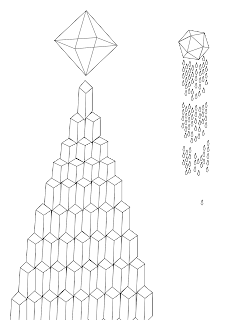
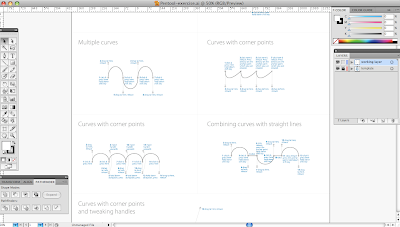
Adobe Illustrator // Design for Print


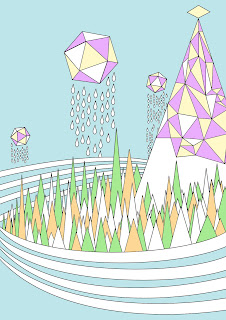
I thought it would be best to start with technology that was most easily accessible, Adobe Illustrator. I'm familiar with a great deal of Adobe software but have never actually fully engaged in the possibilities of the different tools available in Illustrator. In all fairness the Adobe Creative Suite has so many crossovers, I wasn't sure - being pretty comfortable with Photoshop - if there was any point in using Illustrator until attending the workshop/tutorial, where I was made aware of the possibilities, particularly the Pen Tool. There is clearly a great deal more freedom in creating original graphics rather than feeling like you're just kind of 'tinkering' with old work on photoshop. I used the pen, elipse, rectangle, line segment, warp and slice tools, used the pathfinder and a host of other tools and options & generally explored and experimented with the possibilities in creating graphic work. I found there was a sense of rigidness when working with illustrator, its more obvious you are using computer software whereas with Corel Paint you can kind of get lost in drawing - especially when using a graphics tablet - and forget your just sitting at a screen sending commands. Not that this is a bad thing - I like the result of the rigid vector graphics I used to create the little fantasy world of triangles, diamonds and complex linear structures.

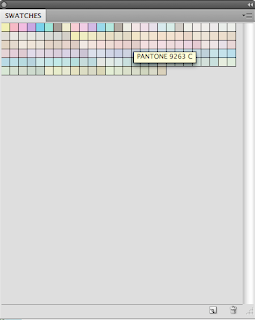
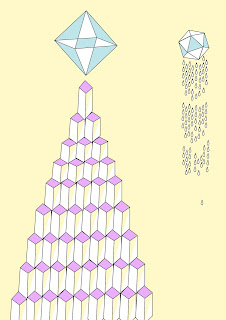
I exported the images as png's into Photoshop, adjusted the levels slightly and started messing with different swatches, initially, it seems the Pantone coated pastel swatches worked nicest, but this is before I've attempted any 'real' printing

Once I'd finished adjusting all the colours, I used the colour seperating tool to print my silkscreen printable copies, splitting them into the necessary CMYK components. I felt that there wasn't much point in attempting a spot colour with this version so i created an alternate colour version to see how that could work. Next stop Print studios!